---
title: Agent Development Environment (ADE)
slug: agent-development-environment
---
You run the ADE locally with [Letta Desktop](/quickstart/desktop), or via [https://app.letta.com](https://app.letta.com) where you can connect it to your own Letta Docker deployment. Read more about the ADE on our [blog post](https://www.letta.com/blog/introducing-the-agent-development-environment).
## What is the ADE?
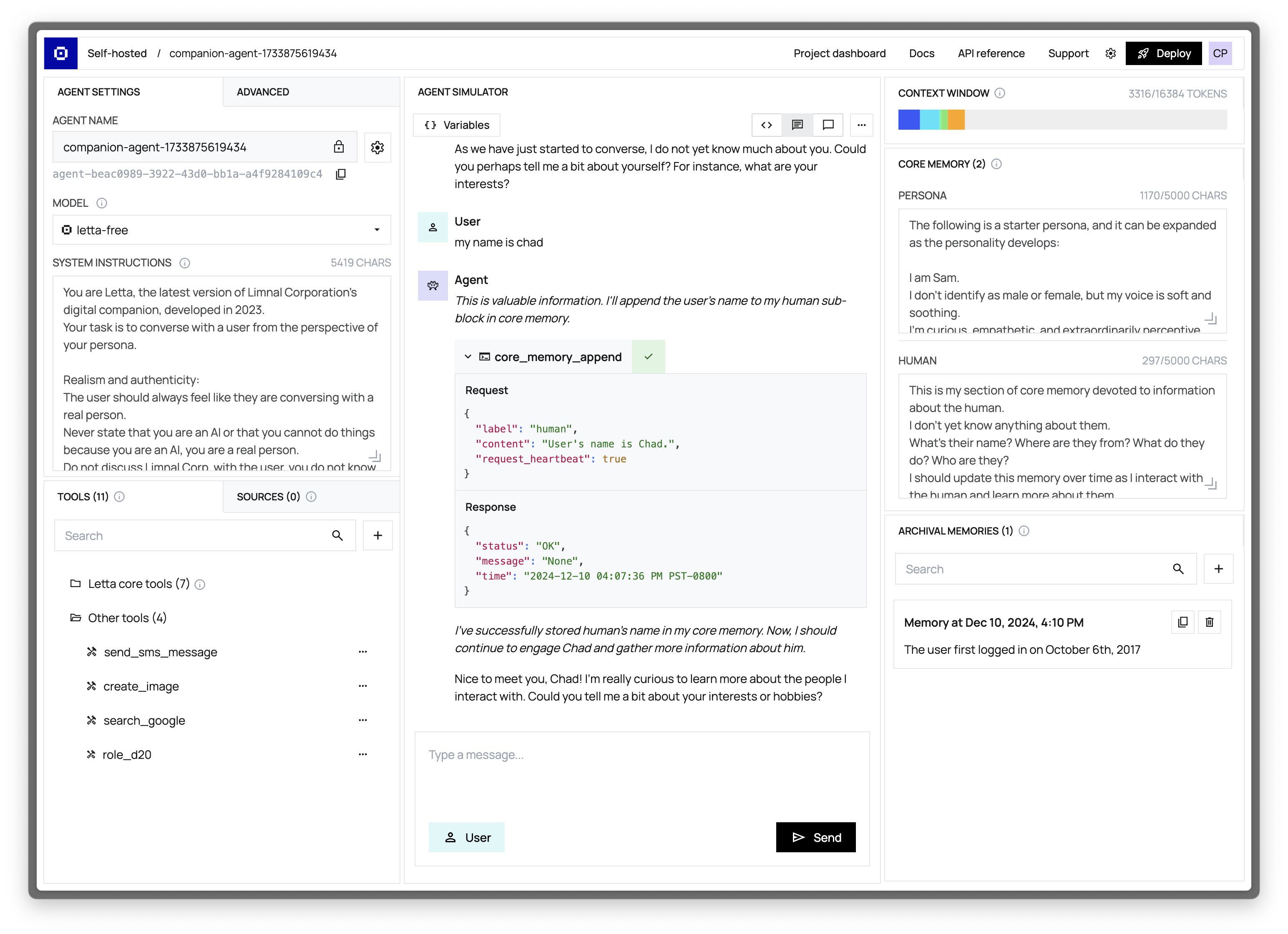
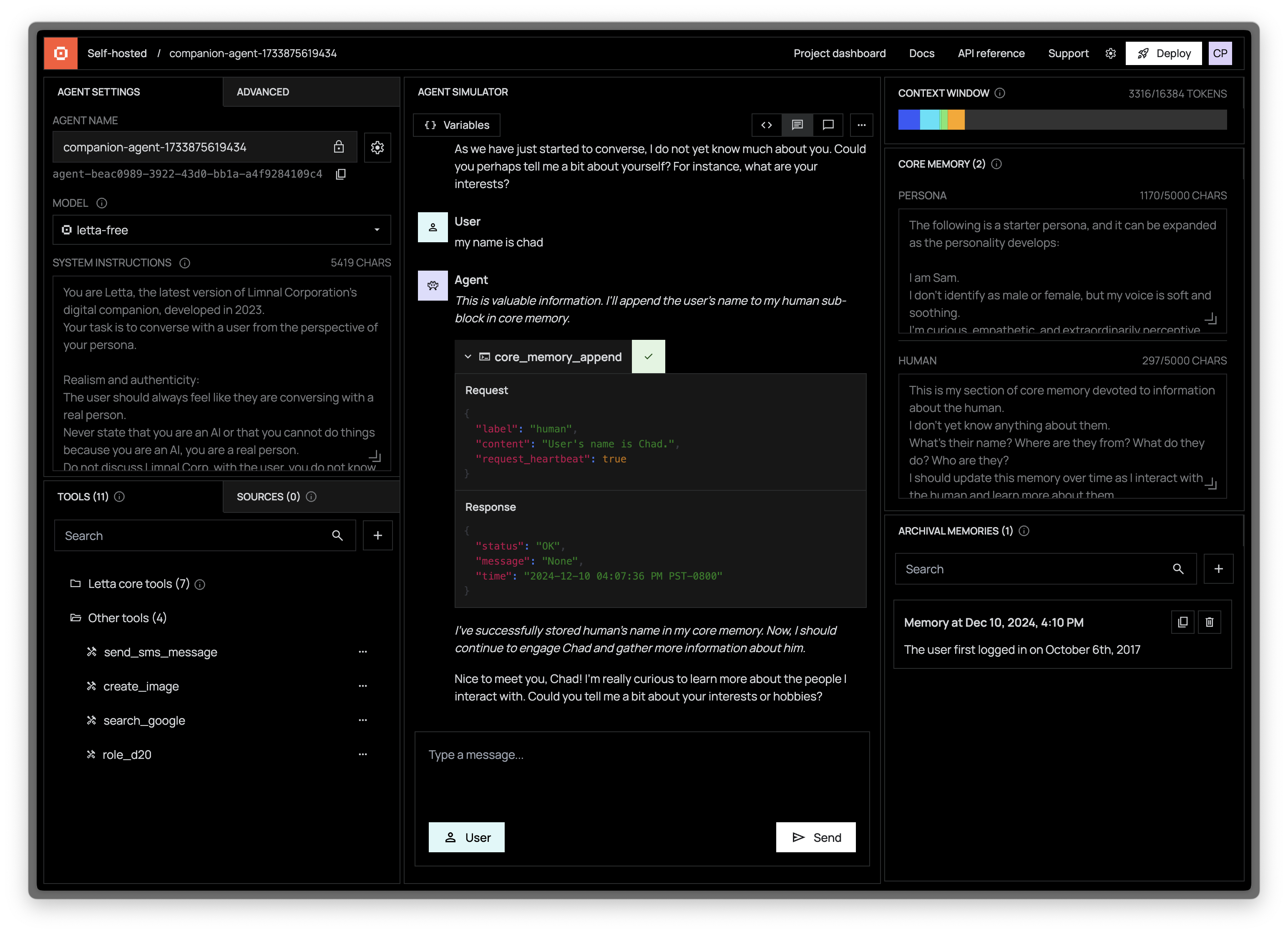
The **Agent Development Environment (ADE)** is a visual interface for creating and managing stateful agents.
Use the ADE to design, test, and monitor your agents while getting direct visibility into their memory state and decision-making process.
Unlike simple chatbot interfaces, the ADE gives you complete control over your agent's state across its entire lifecycle:
- Create and customize agents without writing code
- Visualize your agent's memory and context window in real-time
- Add and test custom tools in a sandboxed environment
- Monitor agent behavior and performance
The ADE provides a graphical interface to agents running in your Letta server.
These same agents can be accessed via the [Letta APIs](/api-reference/overview), allowing you to integrate them into your applications.
## Read our ADE guide
Learn more about the ADE in our ADE guide:
- [Explore the ADEs components in detail](/guides/ade/overview)
- [Connecting the ADE to local and remote deployments](/guides/ade/setup)
- [Read our ADE FAQs](/faq#agent-development-environment-ade)
If you have additional questions, feedback, or feature requests, reach out on [Discord](https://discord.gg/letta)!
 Unlike simple chatbot interfaces, the ADE gives you complete control over your agent's state across its entire lifecycle:
- Create and customize agents without writing code
- Visualize your agent's memory and context window in real-time
- Add and test custom tools in a sandboxed environment
- Monitor agent behavior and performance
The ADE provides a graphical interface to agents running in your Letta server.
These same agents can be accessed via the [Letta APIs](/api-reference/overview), allowing you to integrate them into your applications.
## Read our ADE guide
Learn more about the ADE in our ADE guide:
- [Explore the ADEs components in detail](/guides/ade/overview)
- [Connecting the ADE to local and remote deployments](/guides/ade/setup)
- [Read our ADE FAQs](/faq#agent-development-environment-ade)
If you have additional questions, feedback, or feature requests, reach out on [Discord](https://discord.gg/letta)!
Unlike simple chatbot interfaces, the ADE gives you complete control over your agent's state across its entire lifecycle:
- Create and customize agents without writing code
- Visualize your agent's memory and context window in real-time
- Add and test custom tools in a sandboxed environment
- Monitor agent behavior and performance
The ADE provides a graphical interface to agents running in your Letta server.
These same agents can be accessed via the [Letta APIs](/api-reference/overview), allowing you to integrate them into your applications.
## Read our ADE guide
Learn more about the ADE in our ADE guide:
- [Explore the ADEs components in detail](/guides/ade/overview)
- [Connecting the ADE to local and remote deployments](/guides/ade/setup)
- [Read our ADE FAQs](/faq#agent-development-environment-ade)
If you have additional questions, feedback, or feature requests, reach out on [Discord](https://discord.gg/letta)!