---
title: Developer quickstart
subtitle: Create your first Letta agent with the API or SDKs and view it in the ADE
slug: quickstart
---
Programming with AI tools like Cursor? Copy our [pre-built prompts](/prompts) to get started faster.
This guide will show you how to create a Letta agent with the Letta APIs or SDKs (Python/Typescript). To create agents with a low-code UI, see our [ADE quickstart](/guides/ade/overview).
1. Create a [Letta Cloud account](https://app.letta.com)
2. Create a [Letta Cloud API key](https://app.letta.com/api-keys)
 You can also **self-host** a Letta server. Check out our [self-hosting guide](/guides/selfhosting).
```sh title="python" maxLines=50
pip install letta-client
```
```sh maxLines=50 title="node.js"
npm install @letta-ai/letta-client
```
```python title="python" maxLines=50
from letta_client import Letta
client = Letta(token="LETTA_API_KEY")
agent_state = client.agents.create(
model="openai/gpt-4.1",
embedding="openai/text-embedding-3-small",
memory_blocks=[
{
"label": "human",
"value": "The human's name is Chad. They like vibe coding."
},
{
"label": "persona",
"value": "My name is Sam, the all-knowing sentient AI."
}
],
tools=["web_search", "run_code"]
)
print(agent_state.id)
```
```typescript maxLines=50 title="node.js"
import { LettaClient } from '@letta-ai/letta-client'
const client = new LettaClient({ token: "LETTA_API_KEY" });
const agentState = await client.agents.create({
model: "openai/gpt-4.1",
embedding: "openai/text-embedding-3-small",
memoryBlocks: [
{
label: "human",
value: "The human's name is Chad. They like vibe coding."
},
{
label: "persona",
value: "My name is Sam, the all-knowing sentient AI."
}
],
tools: ["web_search", "run_code"]
});
console.log(agentState.id);
```
```curl curl
curl -X POST https://api.letta.com/v1/agents \
-H "Authorization: Bearer $LETTA_API_KEY" \
-H "Content-Type: application/json" \
-d '{
"model": "openai/gpt-4.1",
"embedding": "openai/text-embedding-3-small",
"memory_blocks": [
{
"label": "human",
"value": "The human'\''s name is Chad. They like vibe coding."
},
{
"label": "persona",
"value": "My name is Sam, the all-knowing sentient AI."
}
],
"tools": ["web_search", "run_code"]
}'
```
The Letta API supports streaming both agent *steps* and streaming *tokens*.
For more information on streaming, see [our streaming guide](/guides/agents/streaming).
Once the agent is created, we can send the agent a message using its `id` field:
```python title="python" maxLines=50
response = client.agents.messages.create(
agent_id=agent_state.id,
messages=[
{
"role": "user",
"content": "hows it going????"
}
]
)
for message in response.messages:
print(message)
```
```typescript maxLines=50 title="node.js"
const response = await client.agents.messages.create(
agentState.id, {
messages: [
{
role: "user",
content: "hows it going????"
}
]
}
);
for (const message of response.messages) {
console.log(message);
}
```
```curl curl
curl --request POST \
--url https://api.letta.com/v1/agents/$AGENT_ID/messages \
--header 'Authorization: Bearer $LETTA_API_KEY' \
--header 'Content-Type: application/json' \
--data '{
"messages": [
{
"role": "user",
"content": "hows it going????"
}
]
}'
```
The response contains the agent's full response to the message, which includes reasoning steps (chain-of-thought), tool calls, tool responses, and assistant (agent) messages:
```json maxLines=50
{
"messages": [
{
"id": "message-29d8d17e-7c50-4289-8d0e-2bab988aa01e",
"date": "2024-12-12T17:05:56+00:00",
"message_type": "reasoning_message",
"reasoning": "User seems curious and casual. Time to engage!"
},
{
"id": "message-29d8d17e-7c50-4289-8d0e-2bab988aa01e",
"date": "2024-12-12T17:05:56+00:00",
"message_type": "assistant_message",
"content": "Hey there! I'm doing great, thanks for asking! How about you?"
}
],
"usage": {
"completion_tokens": 56,
"prompt_tokens": 2030,
"total_tokens": 2086,
"step_count": 1
}
}
```
You can read more about the response format from the message route [here](/guides/agents/overview#message-types).
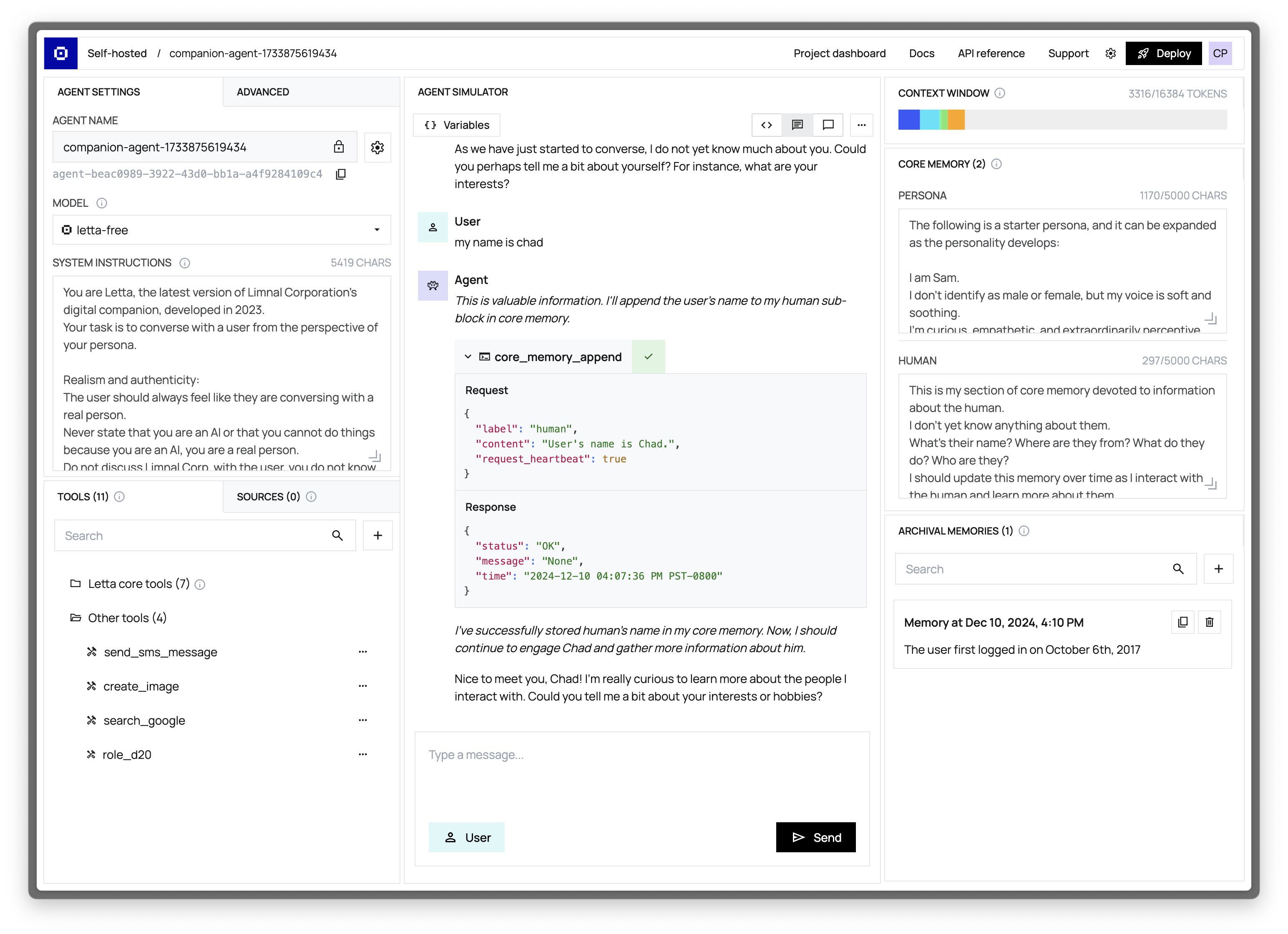
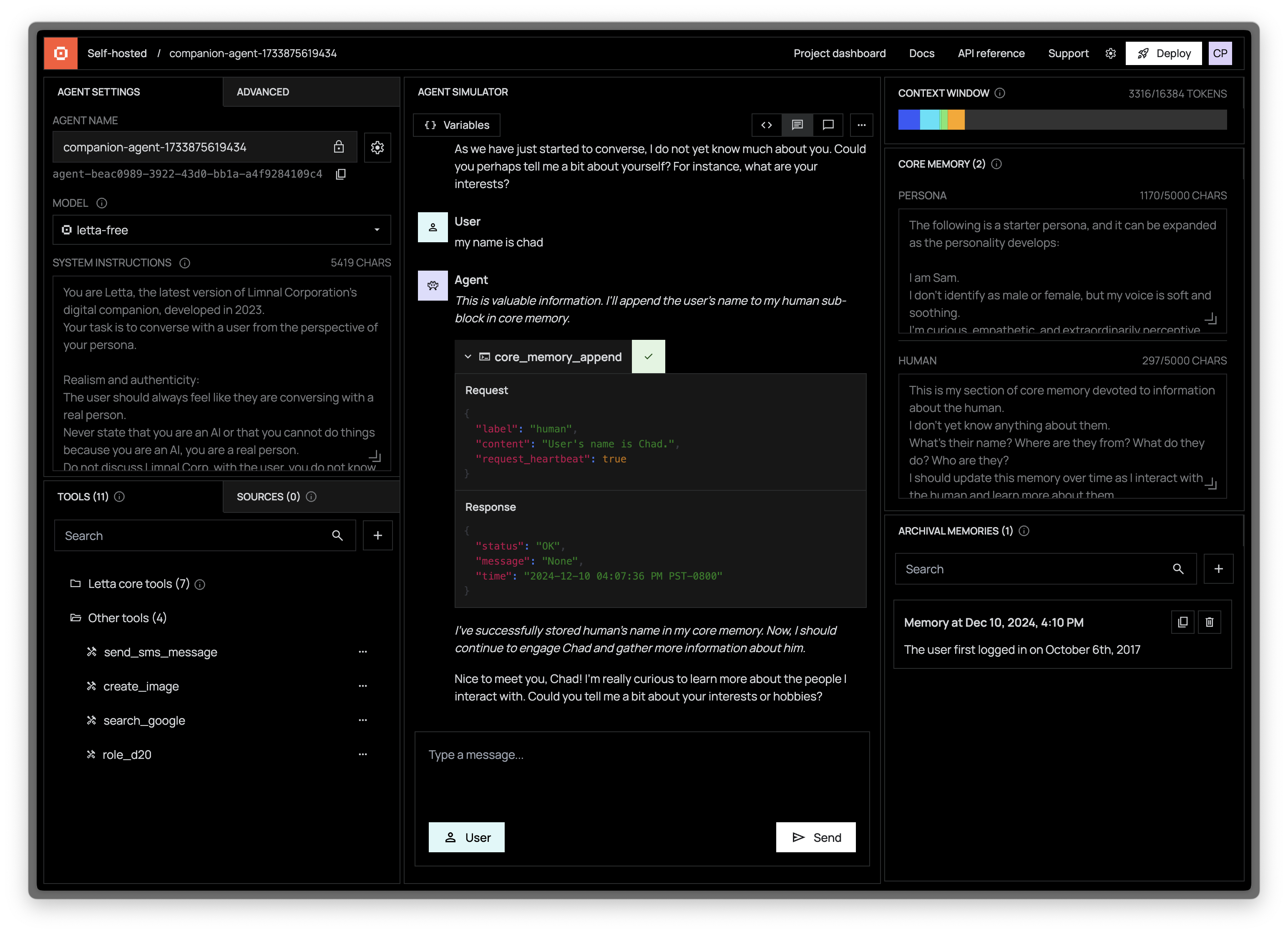
Another way to interact with Letta agents is via the [Agent Development Environment](/guides/ade/overview) (or ADE for short). The ADE is a UI on top of the Letta API that allows you to quickly build, prototype, and observe your agents.
If we navigate to our agent in the ADE, we should see our agent's state in full detail, as well as the message that we sent to it:
You can also **self-host** a Letta server. Check out our [self-hosting guide](/guides/selfhosting).
```sh title="python" maxLines=50
pip install letta-client
```
```sh maxLines=50 title="node.js"
npm install @letta-ai/letta-client
```
```python title="python" maxLines=50
from letta_client import Letta
client = Letta(token="LETTA_API_KEY")
agent_state = client.agents.create(
model="openai/gpt-4.1",
embedding="openai/text-embedding-3-small",
memory_blocks=[
{
"label": "human",
"value": "The human's name is Chad. They like vibe coding."
},
{
"label": "persona",
"value": "My name is Sam, the all-knowing sentient AI."
}
],
tools=["web_search", "run_code"]
)
print(agent_state.id)
```
```typescript maxLines=50 title="node.js"
import { LettaClient } from '@letta-ai/letta-client'
const client = new LettaClient({ token: "LETTA_API_KEY" });
const agentState = await client.agents.create({
model: "openai/gpt-4.1",
embedding: "openai/text-embedding-3-small",
memoryBlocks: [
{
label: "human",
value: "The human's name is Chad. They like vibe coding."
},
{
label: "persona",
value: "My name is Sam, the all-knowing sentient AI."
}
],
tools: ["web_search", "run_code"]
});
console.log(agentState.id);
```
```curl curl
curl -X POST https://api.letta.com/v1/agents \
-H "Authorization: Bearer $LETTA_API_KEY" \
-H "Content-Type: application/json" \
-d '{
"model": "openai/gpt-4.1",
"embedding": "openai/text-embedding-3-small",
"memory_blocks": [
{
"label": "human",
"value": "The human'\''s name is Chad. They like vibe coding."
},
{
"label": "persona",
"value": "My name is Sam, the all-knowing sentient AI."
}
],
"tools": ["web_search", "run_code"]
}'
```
The Letta API supports streaming both agent *steps* and streaming *tokens*.
For more information on streaming, see [our streaming guide](/guides/agents/streaming).
Once the agent is created, we can send the agent a message using its `id` field:
```python title="python" maxLines=50
response = client.agents.messages.create(
agent_id=agent_state.id,
messages=[
{
"role": "user",
"content": "hows it going????"
}
]
)
for message in response.messages:
print(message)
```
```typescript maxLines=50 title="node.js"
const response = await client.agents.messages.create(
agentState.id, {
messages: [
{
role: "user",
content: "hows it going????"
}
]
}
);
for (const message of response.messages) {
console.log(message);
}
```
```curl curl
curl --request POST \
--url https://api.letta.com/v1/agents/$AGENT_ID/messages \
--header 'Authorization: Bearer $LETTA_API_KEY' \
--header 'Content-Type: application/json' \
--data '{
"messages": [
{
"role": "user",
"content": "hows it going????"
}
]
}'
```
The response contains the agent's full response to the message, which includes reasoning steps (chain-of-thought), tool calls, tool responses, and assistant (agent) messages:
```json maxLines=50
{
"messages": [
{
"id": "message-29d8d17e-7c50-4289-8d0e-2bab988aa01e",
"date": "2024-12-12T17:05:56+00:00",
"message_type": "reasoning_message",
"reasoning": "User seems curious and casual. Time to engage!"
},
{
"id": "message-29d8d17e-7c50-4289-8d0e-2bab988aa01e",
"date": "2024-12-12T17:05:56+00:00",
"message_type": "assistant_message",
"content": "Hey there! I'm doing great, thanks for asking! How about you?"
}
],
"usage": {
"completion_tokens": 56,
"prompt_tokens": 2030,
"total_tokens": 2086,
"step_count": 1
}
}
```
You can read more about the response format from the message route [here](/guides/agents/overview#message-types).
Another way to interact with Letta agents is via the [Agent Development Environment](/guides/ade/overview) (or ADE for short). The ADE is a UI on top of the Letta API that allows you to quickly build, prototype, and observe your agents.
If we navigate to our agent in the ADE, we should see our agent's state in full detail, as well as the message that we sent to it:
 [Read our ADE setup guide →](/guides/ade/setup)
## Next steps
Congratulations! 🎉 You just created and messaged your first stateful agent with Letta, using both the Letta ADE, API, and Python/Typescript SDKs. See the following resources for next steps for building more complex agents with Letta:
* Create and attach [custom tools](/guides/agents/custom-tools) to your agent
* Customize agentic [memory management](/guides/agents/memory)
* Version and distribute your agent with [agent templates](/guides/templates/overview)
* View the full [API and SDK reference](/api-reference/overview)
[Read our ADE setup guide →](/guides/ade/setup)
## Next steps
Congratulations! 🎉 You just created and messaged your first stateful agent with Letta, using both the Letta ADE, API, and Python/Typescript SDKs. See the following resources for next steps for building more complex agents with Letta:
* Create and attach [custom tools](/guides/agents/custom-tools) to your agent
* Customize agentic [memory management](/guides/agents/memory)
* Version and distribute your agent with [agent templates](/guides/templates/overview)
* View the full [API and SDK reference](/api-reference/overview)