796c33f1a6
* Update README.md

* fix: 'ollama run' should be 'ollama pull'

* fix: linting, syntax, spelling corrections for all docs

* fix: markdown linting rules and missed fixes

* fix: readded space to block

* fix: changed sh blocks to text

* docs: added exception for bare urls in markdown

* docs: added exception for in-line html (MD033/no-inline-html)

* docs: made python indentation level consistent (4 space tabs) even though I prefer 2.

---------

Co-authored-by: Charles Packer <packercharles@gmail.com>
1.1 KiB
1.1 KiB
title, excerpt, category
| title | excerpt | category |
|---|---|---|
| Chatting with MemGPT Bot | Get up and running with the MemGPT Discord Bot | 6580da8eb6feb700166e5016 |
The fastest way to experience MemGPT is to chat with the MemGPT Discord Bot.
Join Discord and message the MemGPT bot (in the #memgpt channel). Then run the following commands (messaged to "MemGPT Bot"):
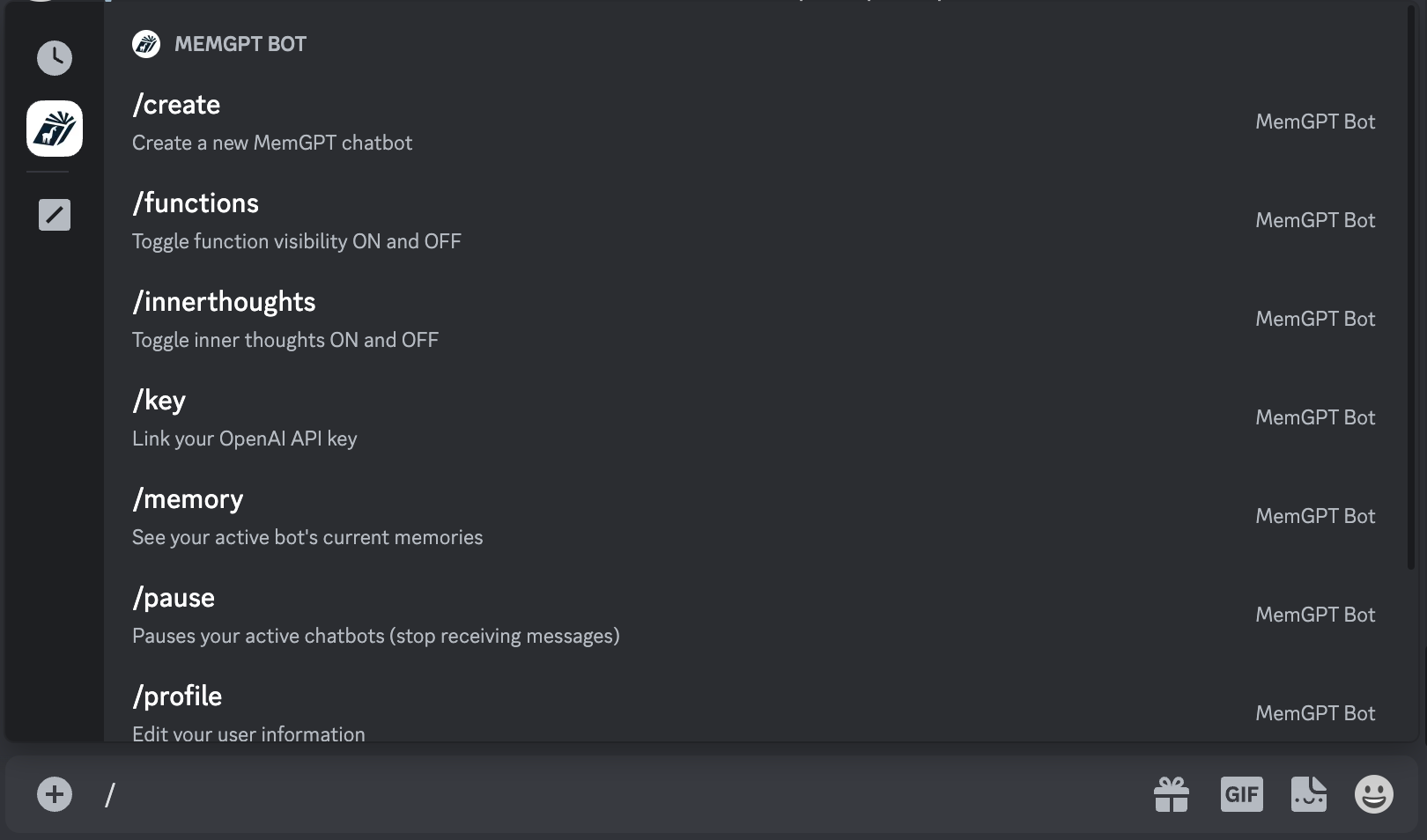
/profile(to create your profile)/key(to enter your OpenAI key)/create(to create a MemGPT chatbot)
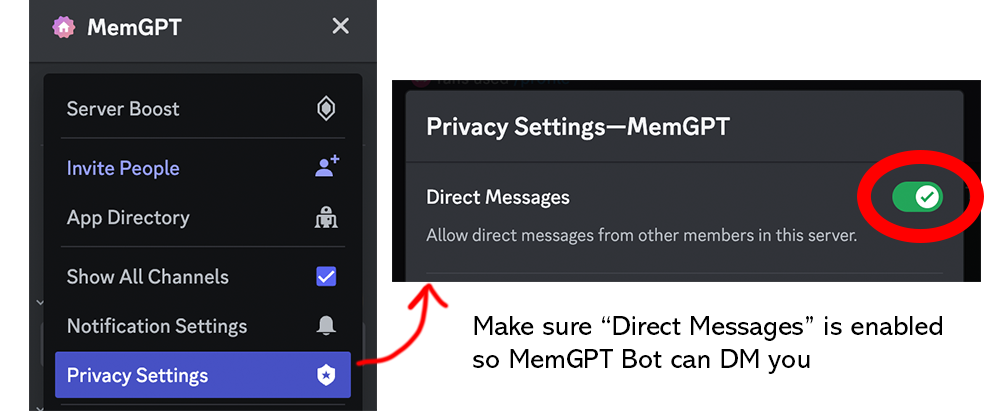
Make sure your privacy settings on this server are open so that MemGPT Bot can DM you:
MemGPT → Privacy Settings → Direct Messages set to ON
You can see the full list of available commands when you enter / into the message box.